Understand identification
How to compare animal lookalikes
Two animals can look alike because they share colors, body shapes, or habitats. The way through is not to collect more names; it is to find a difference you can test in the evidence. Begin with the features that are visible, learn which trait a reliable reference says matters, and then decide whether the photo records that trait well enough to narrow the answer.
Quick answer
Choose a small number of plausible candidates, identify one visible feature that would separate them, and check whether the photo actually shows it. Compare like with like—same body part, angle, and life stage when possible. If the distinguishing feature is hidden or ambiguous, keep the identification broad instead of guessing.
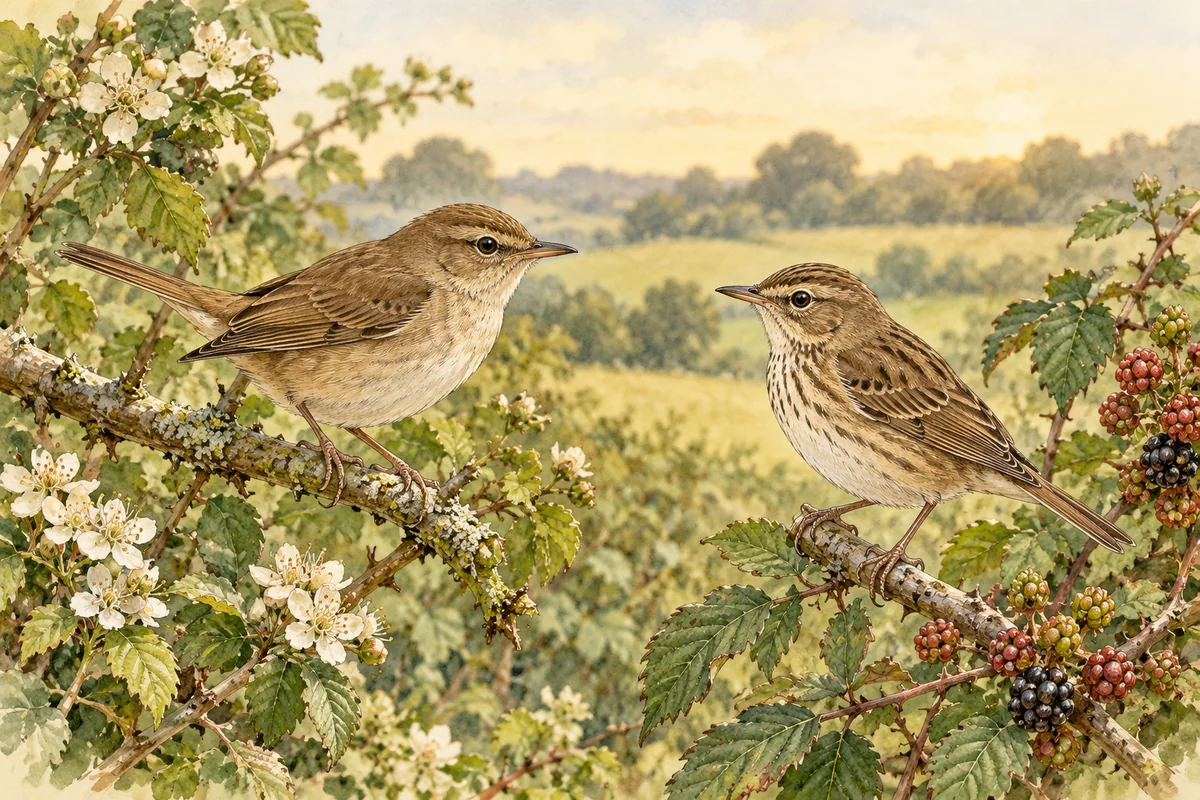
Keep the candidate list short
Start with the broad group suggested by the whole animal: bird, mammal, insect, fish, or another group. Then select two or three plausible candidates using visible shape and context. A very long list creates noise and encourages cherry-picking. The candidates should be plausible for the image and the broad place/time you actually know, while leaving room for unusual observations.
Use a guide written for the animal group and region. A feature useful for comparing birds may not separate insects or mammals; keep the method tied to the subject.
Sources: Cornell Lab of Ornithology, All About Birds — Building Skills: The 4 Keys to Bird Identification · iNaturalist Help — What is an Identification?
Pick a discriminating feature
Ask what feature distinguishes the candidates in a source you trust. It might be bill depth, a wing bar, a tail pattern, body proportions, a shell edge, a leg arrangement, or a specific marking. Avoid relying on broad labels like “more colorful” when color can vary with lighting, age, season, or individual variation.
Write the feature as a question: “Can I see a pale eye stripe?” or “Does the tail extend beyond the folded wings?” Then inspect the photo for that exact evidence. Cornell’s field-mark material names parts of the bird’s head and wings to help people observe systematically. Other animal groups need their own terminology and references; do not invent a diagnostic feature from an AI explanation.
North American worked example: Cornell says Downy and Hairy Woodpeckers occur together through most of their ranges. Both are black and white, so a clear side view can make bill-to-head proportion useful: the Hairy’s bill is nearly head-length, while Cornell describes the Downy as short-billed, with a bill that looks small for its body. This is one clue, not a species guarantee. Body size, regional variation, and viewing angle matter; if the bill is foreshortened or unclear, keep both candidates open and consult a regional reference.
Sources: Cornell Lab of Ornithology, All About Birds — Bird ID Skills: Field Marks · iNaturalist Help — How to use Identification Tips · Cornell Lab of Ornithology, All About Birds — Downy Woodpecker Identification · Cornell Lab of Ornithology, All About Birds — Hairy Woodpecker Identification · Cornell Lab of Ornithology, All About Birds — Hairy Woodpecker Overview
Compare equivalent views
A fair comparison lines up equivalent evidence. Compare the same body region in both candidates and account for viewpoint: a head-on photo can make a long bill appear short, and a folded wing hides marks that show only in flight. Photographs in a reference may show adult breeding plumage while your image shows a young or nonbreeding animal. Note these mismatches rather than treating them as exceptions that prove your favorite answer.
A teaching checklist can help: visible in this photo; expected in candidate A; expected in candidate B; angle or life stage that could change the appearance. If an item is unknown, leave it unknown. Do not use generated or heavily reconstructed image detail as a substitute for an equivalent view; the original image remains the evidence.
Sources: iNaturalist Help — What is an Identification? · iNaturalist Help — My photo isn't very good. Can I use AI to improve it? · Cornell Lab of Ornithology, All About Birds — Bird ID Skills: Field Marks
Use range and season carefully
Range maps and seasonal descriptions can help prioritize candidates. They are supporting context, not a species test. Maps may reflect incomplete observations, boundaries can be approximate, and animals move. A common local species may be a sensible first candidate but should not override a visible feature that contradicts it.
Keep a field note about general region and date when you know them. Be precise only to the level remembered; do not infer a location from an image background unless it is unmistakable and independently supported. iNaturalist observations use date and location as separate observation information. Animal Says Hi does not have those dedicated fields, so retain them in a private notebook or include brief relevant context yourself if desired.
Sources: iNaturalist — Frequently Used Responses · iNaturalist Help — How can I get help identifying what I saw or heard? · Animal Says Hi Help — Using photo analysis and understanding results
Record the outcome, including uncertainty
A useful comparison may end with “candidate A fits the visible stripe, but the bill is hidden; candidate B remains possible.” That is more informative than writing a bare species name. If you cannot find a trusted source describing a diagnostic difference, keep looking or stop at a broader group. If the photo cannot show the difference, take a new view only if you can do so safely without disturbing the animal.
An AI tool can suggest candidates, but its ranking is not evidence that one difference is present. iNaturalist advises that computer-vision output should not be the sole basis for identification. Animal Says Hi likewise provides an educational possibility, not a verified checklist comparison. For consequential decisions, confirm with an authoritative or local source.
Sources: iNaturalist Help — What is an Identification? · iNaturalist Help — Computer Vision FAQs · Animal Says Hi Help — Using photo analysis and understanding results
Lookalike comparison sheet
| Question | Candidate A | Candidate B | Photo evidence |
|---|---|---|---|
| What visible trait separates them? | Trait from a trusted guide | Alternative trait from same guide | Feature visible / obscured / absent |
| Are views comparable? | Reference angle and life stage | Reference angle and life stage | Same body region shown? |
| Does context fit? | Broad place or season support | Broad place or season support | Context known or only guessed? |
| What remains uncertain? | Unresolved feature | Unresolved feature | Stop at broader group if needed |
- Question
- What visible trait separates them?
- Candidate A
- Trait from a trusted guide
- Candidate B
- Alternative trait from same guide
- Photo evidence
- Feature visible / obscured / absent
- Question
- Are views comparable?
- Candidate A
- Reference angle and life stage
- Candidate B
- Reference angle and life stage
- Photo evidence
- Same body region shown?
- Question
- Does context fit?
- Candidate A
- Broad place or season support
- Candidate B
- Broad place or season support
- Photo evidence
- Context known or only guessed?
- Question
- What remains uncertain?
- Candidate A
- Unresolved feature
- Candidate B
- Unresolved feature
- Photo evidence
- Stop at broader group if needed
Takeaways
- Use a short candidate list grounded in the whole subject and relevant context.
- Find a source-backed feature that separates the candidates, then check whether it is visible.
- When angles, age, or image quality hide that feature, keep both possibilities open.
Sources and further reading
Sources checked 17 Oct 2026.
- Cornell Lab of Ornithology, All About Birds — Building Skills: The 4 Keys to Bird Identification
- Cornell Lab of Ornithology, All About Birds — Bird ID Skills: Field Marks
- iNaturalist Help — What is an Identification?
- iNaturalist Help — How to use Identification Tips
- iNaturalist Help — Computer Vision FAQs
- iNaturalist — Frequently Used Responses
- iNaturalist Help — How can I get help identifying what I saw or heard?
- iNaturalist Help — My photo isn't very good. Can I use AI to improve it?
- Animal Says Hi Help — Using photo analysis and understanding results
- Cornell Lab of Ornithology, All About Birds — Downy Woodpecker Identification
- Cornell Lab of Ornithology, All About Birds — Hairy Woodpecker Identification
- Cornell Lab of Ornithology, All About Birds — Hairy Woodpecker Overview
Have a photo of your own?
Choose a photo on Home and select Analyze — your photo is sent only when you ask for the analysis.
Discover an animal